
Do You Really Need an AI PC? Building, Buying and Repurposing Hardware for Local AI
Published 30 Oct 2026, 02:00 GMT · Last edited 30 Oct 2026, 02:00 GMTShare this page ↗
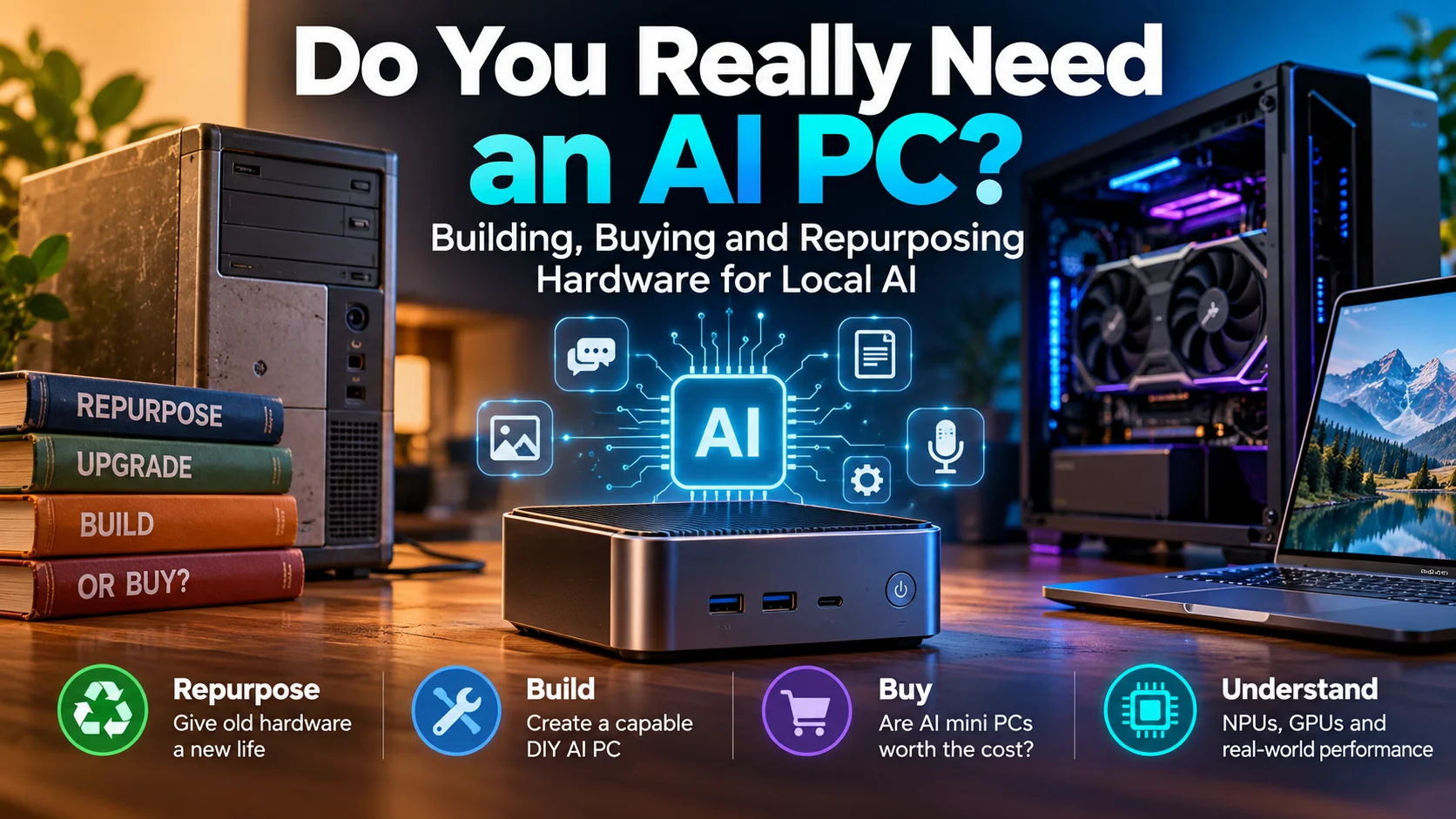
With AI-branded mini PCs costing anything from a few hundred to several thousand pounds, are we witnessing a genuine revolution in personal computing, or another opportunity to sell us hardware we might not need?
It seems that every time I open social media lately, another advert appears for a miniature computer promising extraordinary artificial intelligence capabilities.
They're compact, powerful-looking machines, frequently powered by AMD Ryzen AI processors, equipped with Neural Processing Units (NPUs), and advertised with impressive figures such as 50, 80 or even 126 trillion operations per second.
Some cost several hundred pounds. Others run into the thousands.
As someone who works with AI and digital transformation, I find these machines fascinating. But I also find myself asking the following question:
Do we really need to spend thousands of pounds on a purpose-built AI computer when an ordinary desktop, an older gaming PC, or even a discarded workstation might already do much of the same work?
The answer is more interesting than the marketing might suggest.
The Rise of the AI PC
For years, personal computing has largely revolved around two main processing components. These are the Central Processing Unit (CPU) and the Graphics Processing Unit (GPU).
The CPU handles general computing tasks, while the GPU specialises in performing large numbers of calculations simultaneously.
That second characteristic makes graphics processors exceptionally useful for artificial intelligence.
Although GPUs were originally developed to accelerate computer graphics, their architecture also happens to be extremely effective at the mathematical operations involved in running neural networks.
This is why NVIDIA graphics cards became such an important part of the AI revolution.
Now, manufacturers are adding a third component. This is called the Neural Processing Unit, or NPU.
An NPU is a specialised processor designed to execute certain artificial intelligence operations efficiently, often using considerably less power than a general-purpose processor.
That sounds impressive, and it certainly has practical benefits.
But there's a big difference between a computer that's capable of accelerating certain AI features and one that's genuinely suitable for running demanding AI models locally.
And that difference is quite often lost in the advertising.
What Does an NPU Actually Do?
One of the biggest misconceptions surrounding AI PCs is that an NPU automatically makes a computer better at running every kind of artificial intelligence.
It doesn't!
NPUs are useful for supported workloads such as background noise suppression, image processing, speech-related features and other efficiently implemented neural-network operations.
They're increasingly being integrated into operating systems and applications that can take advantage of them.
However, running a large language model (LLM) locally is a rather different challenge.
When you load an AI model into applications such as Ollama or llama.cpp, performance depends heavily on available memory, memory bandwidth, processing capabilities and the software's ability to use the available hardware.
An NPU advertised at 50 TOPS doesn't mean every AI application will suddenly become dramatically faster.
TOPS stands for trillions of operations per second. It's a useful performance indicator within certain types of calculation, but it's not a universal measure of AI performance.
Even more confusingly, manufacturers sometimes advertise combined AI performance figures that incorporate the CPU, GPU and NPU.
A machine advertising 126 TOPS isn't necessarily offering 126 TOPS from its NPU alone.
AMD's Ryzen AI Max+ 395, for example, offers up to 50 NPU TOPS, while its advertised overall AI processing capability reaches 126 TOPS.
These figures aren't interchangeable, and neither tells you how many words per second a language model can actually generate.
For anyone interested in running local language models, memory capacity, bandwidth, GPU performance and software compatibility are usually more meaningful than the NPU figure.
This doesn't make NPUs useless. Far from it.
It simply means we should understand what we're buying before assuming that a higher TOPS figure automatically translates into a better local AI experience.
Why Some Ryzen AI Mini PCs Are Genuinely Different
Before dismissing expensive mini PCs as overpriced marketing exercises, there's an important architectural difference worth understanding.
AMD's Ryzen AI Max family is quite interesting because it combines powerful CPU cores, substantial integrated graphics and high-bandwidth shared memory.
Take the Ryzen AI Max+ 395.
It offers 16 CPU cores, Radeon 8060S graphics with 40 compute units, an NPU and support for up to 128GB of LPDDR5X memory.
Crucially, that memory sits on a 256-bit interface, providing up to 256GB/s of theoretical memory bandwidth.
This is important because conventional desktop systems generally separate system RAM from dedicated graphics memory.
A typical gaming PC might have 32GB or 64GB of ordinary RAM but only 8GB, 12GB or 16GB of video memory (VRAM).
When running an AI model, that limited VRAM can become a significant bottleneck.
The Ryzen AI Max architecture allows its integrated graphics processor to access a much larger shared memory pool, subject to system configuration and memory reservations.
That means a machine with 128GB of unified memory can potentially accommodate models that would never fit entirely into the VRAM of a conventional consumer graphics card.
However, there is a catch.
128GB of shared memory is not the same as 128GB of dedicated high-performance graphics memory.
Dedicated GPUs can offer substantially greater memory bandwidth and compute throughput, making them considerably faster for many workloads.
A Ryzen AI Max machine may accommodate a larger model, while a desktop equipped with a powerful NVIDIA GPU may run a smaller model much faster.
Neither solution automatically wins.
It depends entirely on what you're trying to achieve.
Could You Build an AI Computer Yourself?
Absolutely!
In fact, for many people, building or upgrading an ordinary desktop remains one of the most economical ways to experiment with local artificial intelligence.
A conventional AI workstation doesn't require an NPU.
It needs a reasonably capable CPU, sufficient RAM, suitable storage and, ideally, a GPU with enough VRAM for the intended workload.
You could build one using an existing AMD Ryzen or Intel Core processor, 32GB or 64GB of RAM, an NVMe SSD and a second-hand NVIDIA graphics card.
You could also add a dedicated GPU to an existing desktop, provided its power supply, cooling, case and motherboard can accommodate it.
This approach brings several advantages.
Components are replaceable, memory can usually be upgraded, storage can be expanded and graphics cards can be exchanged as requirements change.
NVIDIA's CUDA ecosystem also remains well supported across many popular AI tools.
And because the machine uses conventional components, you're not locked into a specialist miniature platform where the processor and memory may be permanently attached to the motherboard.
Interestingly, AMD has also introduced Ryzen AI 400-series processors for conventional AM5 desktop systems, including the Ryzen AI 7 450G with a 50 TOPS NPU.
So building an NPU-equipped desktop is becoming a realistic option too, although processor availability and motherboard compatibility need checking.
But there's a limitation.
A conventional AM5 desktop with an NPU doesn't automatically reproduce the high-bandwidth unified memory architecture of the Ryzen AI Max platform.
If you specifically need that architecture, you generally need a purpose-built motherboard or complete system.
And that's where the economics become more complicated.
What Are We Actually Paying?
Let's put some real-world figures into perspective.
In October 2026, Minisforum's UK website listed its Ryzen AI 9 HX 370-powered AI X1 Pro mini PC at approximately £639 in barebones form.
Add 32GB of RAM and a 1TB SSD, and the listed price rose to around £1,079.
Meanwhile, GMKtec's Ryzen AI Max+ 395-powered EVO-X2 started at approximately £1,730 for a 64GB configuration, with higher-memory variants costing substantially more.
These are advertised prices rather than guaranteed delivered costs. Specifications, promotions, VAT arrangements and import charges can all affect the final bill.
The point isn't that these machines are necessarily bad value.
It's that we're looking at very different categories of hardware, despite all of them carrying the increasingly fashionable AI label.
An inexpensive mini PC with an NPU may be ideal for office applications and efficient AI-assisted tasks.
A premium Ryzen AI Max machine might be attractive to someone experimenting with very large local language models.
But somebody wanting to run a private chatbot, generate images or transcribe recordings could potentially achieve everything they need using equipment that costs considerably less.
Before comparing prices, we really need to compare workloads.
Otherwise, we're comparing computers by their marketing descriptions rather than their practical capabilities.
The Most Overlooked Option: Repurposing Older Computers
There are millions of computers sitting in cupboards, under desks, in garages and in business storage rooms because their owners no longer consider them powerful enough for everyday use.
Some are genuinely obsolete.
Others are remarkably capable machines that simply aren't being used.
And with the right expectations, quite a few could have a second life as local AI systems.
1. The Old Office Desktop
Consider a refurbished business desktop with an older Intel Core i5 or i7 processor.
With 16GB or 32GB of RAM and an SSD, it could run smaller, quantised language models entirely on its CPU.
Would it match a modern GPU?
Of course not.
But for learning, experimentation, basic document summarisation or running a lightweight local assistant, it could be perfectly adequate.
Quantisation is especially useful here.
In simple terms, quantisation reduces the numerical precision used to store a model's parameters, significantly reducing its memory requirements.
A model that would ordinarily require a substantial amount of memory can become much more manageable when stored in a four-bit or eight-bit format.
There can be quality trade-offs, but these are often acceptable for smaller, everyday workloads.
As a rough illustration, a seven-billion-parameter model using four-bit quantisation might occupy around 4–6GB for its weights and associated model data, although additional memory is required for context, caching and execution.
Suddenly, that old desktop with 16GB of RAM doesn't look quite so useless!
2. The Retired Gaming PC
This is arguably the most interesting category.
Gaming computers frequently contain exactly the sort of hardware that local AI applications can exploit.
An older machine equipped with an NVIDIA RTX 3060 12GB, for example, can still make an excellent entry-level AI workstation.
It can run many smaller quantised language models, support local transcription, experiment with image or video generation and provide GPU acceleration for compatible applications.
A 12GB graphics card will impose limitations, especially with larger models, long context windows and demanding image or video workflows.
But that's not the same as being unsuitable for AI.
In fact, I recently repurposed an old Gaming PC which uses an Intel Core i7-14700K, 64GB of DDR4 RAM and an RTX 3060 with 12GB of VRAM.
It's a perfectly useful local AI development environment despite having no dedicated NPU.
Would more VRAM help with demanding workloads?
Absolutely.
Does that mean I need to replace the entire computer with an expensive AI-branded mini PC?
Not necessarily.
For a lot of people, upgrading the graphics card in an existing desktop would make far more sense than buying another complete computer.
There's also something else worth mentioning, especially given the criticism surrounding AI's environmental impact. Every AI-generated image and video I've ever shared on social media has been created locally on this very same machine, all without draining the national power grid or sucking my nearest water reservoir dry!
But there's a more serious point here. The same computer also uses AI alongside several smart devices to monitor and optimise my household electricity consumption and heating. Since implementing these systems, my electricity usage has fallen by approximately 15% compared with my pre-AI setup, while my monthly energy bills have dropped by around 22%, although energy prices and tariffs also influence the latter.
I'm certainly not suggesting that AI has no environmental consequences. Large-scale data centres consume substantial amounts of electricity and, depending on their cooling systems, water. Those are legitimate concerns that deserve proper scrutiny.
However, treating every application of AI or its generative output as equally environmentally destructive would be grossly misleading and completely wrong.
AI isn't inherently environmentally irresponsible; its impact depends on how it's developed, deployed and used.
With sensible infrastructure, appropriate hardware and intelligent energy management, AI can actually help reduce resource consumption rather than simply adding to it. Responsible AI adoption should be about improving efficiency, not consuming additional resources unnecessarily.
3. The Forgotten Workstation
Businesses frequently dispose of or sell older professional workstations from manufacturers such as Dell, HP and Lenovo.
Some offer large cases, substantial power supplies, generous RAM capacity and multiple PCIe expansion slots.
These can make excellent candidates for dedicated AI servers.
Install Linux, add an appropriate GPU and configure an inference service such as Ollama, and you can potentially create a system accessible to other computers on your home or office network.
You don't even need to attach a monitor once it's configured.
However, older workstations aren't automatically economical.
Some use proprietary power supplies or connectors, others have limited GPU clearance, and older server hardware can consume significant electricity even when doing very little.
A cheap computer that consumes unnecessary power around the clock may prove more expensive over time than a modern, efficient alternative.
Repurposing should be about sensible reuse, not keeping inefficient hardware running simply because it was cheap to acquire.
What About Older Laptops?
Even older laptops can have a role to play.
A reasonably modern laptop with 16GB of RAM may be able to run a small quantised language model locally, provided the processor is supported and performance expectations are realistic.
For example, it could become a personal writing assistant, a basic document analysis tool or a system for experimenting with local inference.
It could also run the interface and automation components of an AI system while connecting to a more powerful computer elsewhere on the network.
Not every computer involved in an AI workflow needs to perform the AI calculations itself.
An older laptop can provide the interface, manage files, execute scripts or coordinate automated tasks while a dedicated server handles the demanding inference.
This separation of responsibilities is already familiar in enterprise computing, and it works just as well at home.
The only caveat is that old lithium-ion batteries should be checked for deterioration or swelling. Even more so if the laptop will remain connected to mains power for extended periods.
Building a Local AI Setup Without Spending a Fortune
One of the best things about local AI is that much of the software is free and open source.
For those interested in experimenting, several tools are worth exploring.
- Ollama makes running local language models relatively straightforward. It handles model downloading, management and inference through a command-line interface and API.
- llama.cpp provides a highly flexible inference engine supporting CPUs and multiple acceleration backends, including NVIDIA CUDA, AMD HIP and Vulkan.
- Open WebUI adds a familiar browser-based chat interface, making local models accessible without constantly working in a terminal.
- Whisper-based applications allow speech-to-text transcription to be performed locally, depending on the chosen implementation and hardware.
- ComfyUI offers a modular environment for image and video generation, although more demanding workflows can require considerable GPU memory and processing power.
Linux is especially attractive for repurposed hardware because it allows a machine to operate as a lightweight, remotely managed server without requiring a new Windows licence.
Windows remains a perfectly valid option too, and many tools work across both environments.
However, software compatibility isn't universal!
Not every AMD graphics processor is supported equally by ROCm, not every NPU has compatible model runtimes, and some applications remain heavily optimised for NVIDIA hardware.
It's worth checking support for the specific software you intend to run before purchasing any hardware.
And remember that running a model locally doesn't automatically make an entire workflow private. Applications may still contact external services, send telemetry or use cloud-based features unless configured appropriately.
How Much AI Can Different Hardware Actually Run?
A useful way to approach local AI is to think in terms of model size and workload rather than the computer's age.
For smaller models, a capable CPU with sufficient system RAM may be perfectly practical.
For quantised models in roughly the 7B–14B parameter range, a GPU with 12GB or more of VRAM can make a significant difference, although the model's quantisation, context length and software overhead determine what will fit.
Moving towards 30B, 70B or larger models changes the equation considerably.
These models may require tens of gigabytes of memory even when quantised.
Some inference engines allow model layers to be split between GPU and system RAM. This can make a model usable without fitting entirely into VRAM, but the performance penalty can be substantial.
This is precisely where high-memory Ryzen AI Max systems become attractive.
Their integrated graphics processors can access a much larger shared memory pool than many dedicated consumer GPUs.
But fitting a model into memory is only half the equation.
There's a difference between a model that technically runs and one that provides a pleasant, responsive experience.
A useful comparison should consider how quickly the model processes the initial prompt, how many tokens it generates per second, how long a context it supports and how it behaves during sustained workloads.
Someone developing an AI assistant may value rapid responses over maximum model size.
Someone analysing large documents may prioritise context capacity.
And someone generating high-resolution images or video may find that a dedicated NVIDIA GPU is much more suitable than an integrated GPU, regardless of how much shared memory is available.
The right hardware depends on the work.
The Hidden Costs: Electricity, Noise and Upgrades
Purchase price isn't the only consideration.
A desktop workstation with a powerful dedicated graphics card can consume considerably more electricity under load than a compact integrated system.
And while an older machine may cost very little to acquire, that saving can disappear if it's left running continuously.
For illustration, a system averaging 100 watts over 24 hours consumes 2.4kWh per day.
At an illustrative electricity price of 25p per kWh, that's approximately 60p per day, or £219 over a year.
A machine averaging just 20 watts under the same conditions would cost around £44 annually.
These are examples, not measurements of any particular AI PC. Actual consumption varies enormously between idle and active workloads, and electricity tariffs differ.
There's also the question of noise, cooling and reliability.
Mini PCs are convenient because they occupy very little space and can often operate relatively quietly under light workloads. Some, however, become noticeably louder under sustained load.
Traditional desktops offer more cooling flexibility but require additional room.
Then there's upgradeability.
If a conventional desktop needs more RAM, storage or GPU capacity, you can often replace the relevant component.
With a high-end Ryzen AI Max mini PC, memory is commonly soldered directly to the motherboard.
Choose a 64GB configuration today and discover you need 128GB tomorrow, and you may have no practical upgrade path.
That's an expensive limitation worth considering before purchase.
There's Also an Environmental Argument
One aspect of the AI hardware discussion that rarely receives enough attention is electronic waste.
The technology industry has spent decades encouraging consumers to replace perfectly usable computers with newer models.
Sometimes there are legitimate reasons for doing so.
But the arrival of artificial intelligence shouldn't automatically become another excuse to discard working equipment.
A computer that's no longer ideal for gaming or contemporary office workloads might still be useful as a dedicated inference server, transcription machine, automation controller or local development platform.
Extending the useful life of existing electronics can reduce the need for manufacturing replacement equipment and prevent unnecessary waste.
Of course, this has to be balanced against the operating efficiency of older hardware.
Repurposing a machine that consumes hundreds of watts continuously for a trivial task may not be environmentally sensible.
But where the equipment is already available and energy usage is reasonable, extending its life can be both economical and sustainable.
There's something quite appealing about using one of the newest developments in computing to give older technology a second purpose.
So, Who Should Actually Buy an AI Mini PC?
I wouldn't discourage anyone from buying a modern AI mini PC.
Some are genuinely impressive machines.
For somebody who needs substantial memory capacity, compact dimensions, relatively modest power consumption and the ability to run large models locally, a Ryzen AI Max system could be an excellent solution.
For developers experimenting with large language models, the unified memory architecture offers capabilities that would otherwise require substantial dedicated GPU memory or more expensive hardware arrangements.
For ordinary users who simply want a compact computer with efficient AI-assisted features, a less expensive Ryzen AI system may also make perfect sense.
But for somebody who already owns a reasonably capable desktop or gaming PC, the calculation is different.
I'd ask three questions before spending anything:
What Exactly Do I Want to Run Locally?
A chatbot, transcription service, image generator, coding assistant and video-generation pipeline all have different requirements.
Can My Existing Hardware Already Do It?
You might be surprised at what a modest PC can achieve with an appropriately sized model and the right software.
If It Can't, What Is the Actual Bottleneck?
Is it processing speed, VRAM capacity, system memory, software compatibility or electricity consumption?
Identifying that limitation is much more useful than buying something simply because the manufacturer has put AI in the product name.
The Bigger Picture: Local AI Shouldn't Be a Luxury
This is the much broader point.
One of the most exciting developments in artificial intelligence is the increasing ability to run capable models on hardware that ordinary people can own and control.
Local AI offers interesting possibilities for privacy, experimentation, accessibility, education, automation and independence from cloud services.
It also creates opportunities for small businesses, enthusiasts and developers who don't have large budgets.
But if the industry convinces everyone that participating in local AI requires purchasing a brand-new, premium machine, we risk creating an unnecessary financial barrier.
The reality is much more encouraging.
Modern AI software has become increasingly flexible. Quantisation has reduced memory requirements, open-source inference engines support a wider range of hardware, and even ordinary computers can perform tasks that would once have required specialist infrastructure.
Premium hardware undoubtedly expands what's possible.
But it doesn't define where experimentation has to begin.
The best computer for getting started with local AI might not be the newest, fastest or most expensive one. It might simply be the computer you've already got.
And before spending £3,000 on a machine advertised as AI-ready, it's worth checking whether the one sitting under your desk is already AI-capable.
Further Reading and Technical References
- AMD Ryzen AI Max+ 395 specifications
- AMD Ryzen AI software: LLM execution modes
- AMD Ryzen AI 400 desktop processor specifications
- Ollama
- llama.cpp
- Open WebUI
- ComfyUI
Hardware specifications and indicative UK prices were checked in October 2026. Pricing, availability and software support may change. This article compares hardware capabilities and use cases rather than presenting controlled performance benchmarks.