
Fixing Facebook’s Terrible Auto-Captions with Whisper on Linux
Facebook’s auto-generated captions can be surprisingly inaccurate. Here’s how I use Whisper on Linux to create, proofread and translate my own SRT subtitle files for Facebook Reels.
Published 11 Oct 2026, 23:00 BST · Last edited 11 Oct 2026, 23:00 BSTShare this page ↗
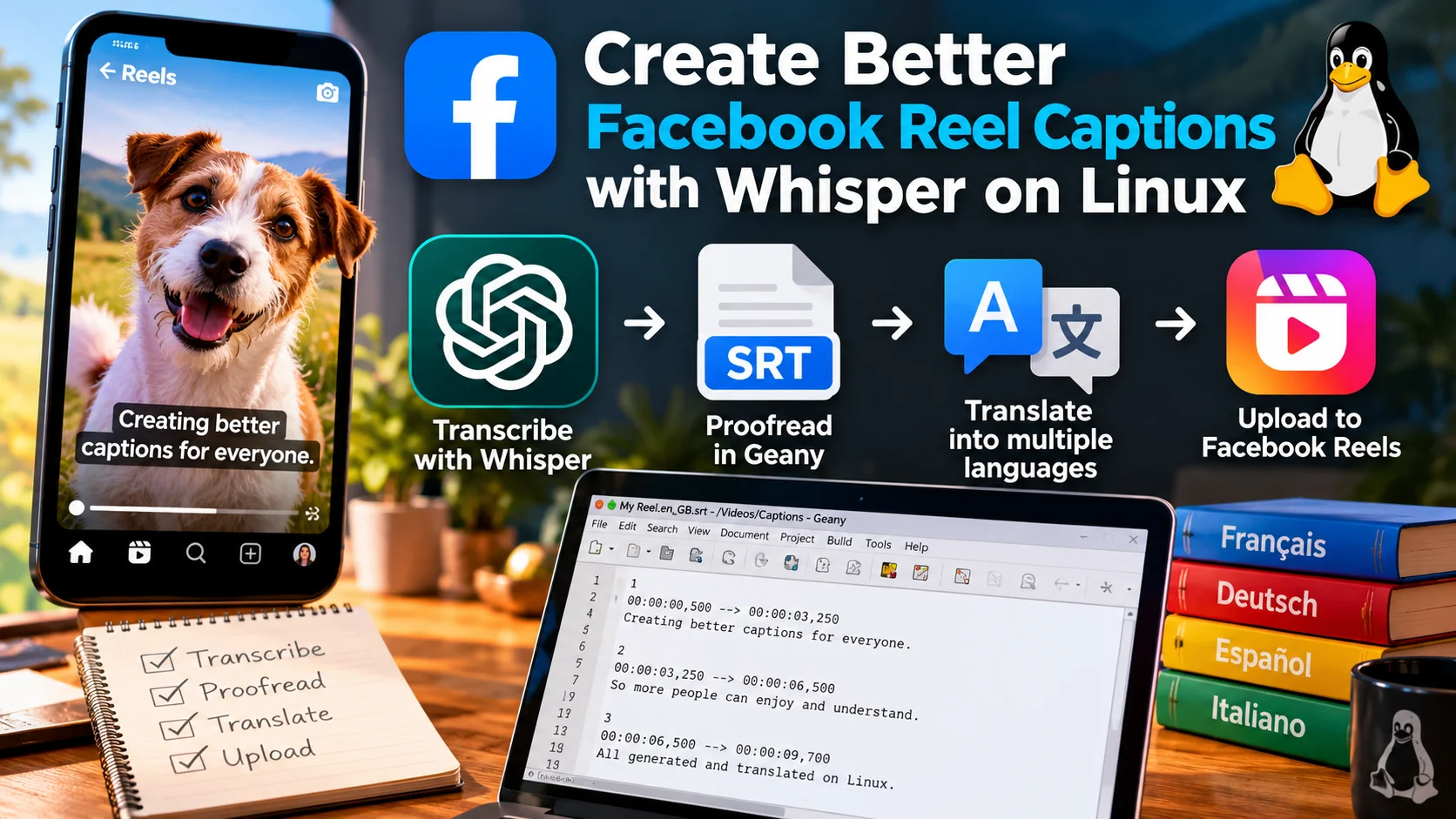
Creating Accurate Facebook Reel Captions and Translations with Whisper on Linux
Facebook’s automatic captions are useful, but they are not always particularly accurate. Names, regional accents, technical terminology and unusual words can easily get mangled, and once a caption is wrong it can completely change the meaning of what was said.
I wanted a workflow where I could generate the captions locally, manually proofread them, and then upload my own SRT subtitle file to Facebook.
As a bonus, I also wanted to be able to translate those checked English captions into other languages without having to recreate all the subtitle timings.
The result is a simple Linux workflow using OpenAI Whisper for transcription, Geany for proofreading, and Meta's NLLB-200 model for optional offline translation.
What the workflow does
The basic process is:
Video
  ↓
Whisper transcription
  ↓
British English SRT
  ↓
Open automatically in Geany
  ↓
Manually proofread
  ↓
Optional translation
  ↓
French / German / Spanish / etc. SRT files
For example, running:
reel-srt "My Reel.mp4"creates:
My Reel.en_GB.srt
My Reel.en_US.srt
The British English file is the master file that I edit. The US version is simply a symbolic link pointing to the same subtitles, so any corrections made to the British version are automatically reflected in the US version as well.
This is useful because Facebook may treat British English and US English as separate caption tracks.
Step 1: Install FFmpeg and create a Whisper environment
First install FFmpeg and Python's virtual environment support:
sudo apt install ffmpeg python3-venvCreate a dedicated Python environment for the caption tools:
python3 -m venv ~/whisper-srt
source ~/whisper-srt/bin/activate
Then install Whisper:
pip install -U openai-whisperThe virtual environment keeps the captioning tools separate from the rest of the Python installation.
Step 2: Create the Reel caption wrapper
Create a directory for personal scripts if you do not already have one:
mkdir -p ~/binCreate the script:
nano ~/bin/reel-srtPaste the following:
#!/usr/bin/env bash

set -euo pipefail

# ------------------------------------------------------------
# reel-srt
#
# Generate Facebook-ready subtitles from a video using Whisper.
#
# Usage:
#   reel-srt video.mp4
#   reel-srt video.mp4 ~/Videos/Captions
# ------------------------------------------------------------

WHISPER_VENV="$HOME/whisper-srt"

MODEL="turbo"
LANGUAGE="en"
LOCALE="en_GB"

if [[ $# -lt 1 ]]; then
    echo "Usage: reel-srt <video-file> [output-directory]"
    exit 1
fi

INPUT="$1"

if [[ ! -f "$INPUT" ]]; then
    echo "Error: File not found:"
    echo "$INPUT"
    exit 1
fi

# Default output directory is the same directory as the video.

INPUT_DIR="$(cd "$(dirname "$INPUT")" && pwd)"
OUTPUT_DIR="${2:-$INPUT_DIR}"

mkdir -p "$OUTPUT_DIR"

FILENAME="$(basename "$INPUT")"
BASENAME="${FILENAME%.*}"

TEMP_SRT="$OUTPUT_DIR/$BASENAME.srt"
FINAL_SRT="$OUTPUT_DIR/$BASENAME.$LOCALE.srt"
US_SRT="$OUTPUT_DIR/$BASENAME.en_US.srt"

if [[ ! -f "$WHISPER_VENV/bin/activate" ]]; then
    echo "Error: Whisper virtual environment not found:"
    echo "$WHISPER_VENV"
    exit 1
fi

echo
echo "========================================"
echo " Reel SRT Generator"
echo "========================================"
echo "Input : $INPUT"
echo "Model : $MODEL"
echo "Output: $FINAL_SRT"
echo "========================================"
echo

source "$WHISPER_VENV/bin/activate"

whisper "$INPUT" \
    --model "$MODEL" \
    --language "$LANGUAGE" \
    --task transcribe \
    --output_format srt \
    --output_dir "$OUTPUT_DIR"

if [[ -f "$TEMP_SRT" ]]; then
    mv -f "$TEMP_SRT" "$FINAL_SRT"
else
    echo
    echo "Error: Whisper completed but the SRT file was not found:"
    echo "$TEMP_SRT"
    exit 1
fi

# Create a US English caption filename pointing to the
# British English master file.

ln -sf "$(basename "$FINAL_SRT")" "$US_SRT"

echo
echo "========================================"
echo " Done!"
echo "========================================"
echo
echo "British English: $FINAL_SRT"
echo "US English     : $US_SRT"
echo

# Automatically open the master subtitle file in Geany.

if command -v geany >/dev/null 2>&1; then
    geany "$FINAL_SRT" >/dev/null 2>&1 &
else
    echo "Note: Geany was not found."
fi
Make it executable:
chmod +x ~/bin/reel-srtStep 3: Add ~/bin to your PATH
On many Linux distributions this is already configured. Check with:
echo $PATHIf $HOME/bin is not listed, add this to ~/.bashrc:
export PATH="$HOME/bin:$PATH"Then reload Bash:
source ~/.bashrcYou can check that the command is available with:
which reel-srtStep 4: Generate captions
Now creating subtitles is as simple as:
reel-srt "My Reel.mp4"The script will:
- Activate the Whisper Python environment.
- Run Whisper using the Turbo model.
- Transcribe the audio into English.
- Create an SRT subtitle file.
- Rename it using the British English locale.
- Create a US English alias to the same subtitle file.
- Automatically open the British English SRT in Geany.
If the original file is:
My Reel.mp4the resulting files will appear as:
My Reel.en_GB.srt
My Reel.en_US.srt
Why use a symbolic link for US English?
The script uses:
ln -sf "$(basename "$FINAL_SRT")" "$US_SRT"rather than simply copying the file.
This means:
My Reel.en_US.srtpoints to:
My Reel.en_GB.srtSo when I correct a spelling mistake or bad transcription in Geany, I only need to edit one file.
Both English subtitle filenames then contain exactly the same corrected subtitles.
If separate physical files are preferred, replace the ln command with:
cp -f "$FINAL_SRT" "$US_SRT"The disadvantage is that changes made later to the British file will no longer automatically appear in the US file.
What does an SRT file look like?
An SRT subtitle file is simply a text file containing numbered captions and timestamps:
1
00:00:00,500 --> 00:00:03,250
Artificial intelligence is changing rapidly.

2
00:00:03,250 --> 00:00:06,500
But that does not mean the captions
have to be wrong.

3
00:00:06,500 --> 00:00:09,700
So I generate and check them myself.
You can change the wording without altering the timestamps.
This is particularly useful when Whisper gets almost everything right but mishears a person's name, a technical term or something regional such as a place name.
Adding Offline Translations
Once the English captions have been checked, they can also be translated locally.
The important part is that translation happens after proofreading.
Otherwise a transcription error could be faithfully translated into ten different languages!
Step 5: Install the translation dependencies
Activate the same virtual environment:
source ~/whisper-srt/bin/activateInstall the required packages:
pip install -U transformers sentencepiece accelerate torchThis example uses:
facebook/nllb-200-distilled-600MNLLB stands for No Language Left Behind. It is a multilingual translation model capable of translating between a large number of languages while running locally.
Step 6: Create the translation script
Create:
nano ~/bin/reel-translate.pyThen add:
#!/usr/bin/env python3

import sys
import re
from pathlib import Path

import torch
from transformers import AutoTokenizer, AutoModelForSeq2SeqLM


MODEL_NAME = "facebook/nllb-200-distilled-600M"

LANGUAGES = {
    "french":       ("fra_Latn", "fr_FR"),
    "german":       ("deu_Latn", "de_DE"),
    "spanish":      ("spa_Latn", "es_ES"),
    "italian":      ("ita_Latn", "it_IT"),
    "portuguese":   ("por_Latn", "pt_PT"),
    "dutch":        ("nld_Latn", "nl_NL"),
    "polish":       ("pol_Latn", "pl_PL"),
    "danish":       ("dan_Latn", "da_DK"),
    "norwegian":    ("nob_Latn", "nb_NO"),
    "swedish":      ("swe_Latn", "sv_SE"),
    "finnish":      ("fin_Latn", "fi_FI"),
    "greek":        ("ell_Grek", "el_GR"),
    "turkish":      ("tur_Latn", "tr_TR"),
    "czech":        ("ces_Latn", "cs_CZ"),
    "romanian":     ("ron_Latn", "ro_RO"),
    "hungarian":    ("hun_Latn", "hu_HU"),
    "ukrainian":    ("ukr_Cyrl", "uk_UA"),
    "russian":      ("rus_Cyrl", "ru_RU"),
    "arabic":       ("arb_Arab", "ar"),
    "japanese":     ("jpn_Jpan", "ja_JP"),
    "korean":       ("kor_Hang", "ko_KR"),
    "chinese":      ("zho_Hans", "zh_CN"),
}

ALIASES = {
    "fr": "french",
    "de": "german",
    "es": "spanish",
    "it": "italian",
    "pt": "portuguese",
    "nl": "dutch",
    "pl": "polish",
    "da": "danish",
    "no": "norwegian",
    "nb": "norwegian",
    "sv": "swedish",
    "fi": "finnish",
    "el": "greek",
    "tr": "turkish",
    "cs": "czech",
    "ro": "romanian",
    "hu": "hungarian",
    "uk": "ukrainian",
    "ru": "russian",
    "ar": "arabic",
    "ja": "japanese",
    "ko": "korean",
    "zh": "chinese",
}


def usage():

    print("""
Usage:

  reel-translate file.en_GB.srt French German Spanish

or:

  reel-translate file.en_GB.srt fr de es

Available languages:
""")

    print("  " + ", ".join(name.title() for name in LANGUAGES))
    sys.exit(1)


def parse_srt(contents):

    contents = contents.replace("\r\n", "\n").strip()
    blocks = re.split(r"\n\s*\n", contents)

    subtitles = []

    for block in blocks:

        lines = block.splitlines()

        if len(lines) < 3:
            continue

        subtitles.append({
            "number": lines[0].strip(),
            "timing": lines[1].strip(),
            "text": "\n".join(lines[2:]).strip(),
        })

    return subtitles


def write_srt(subtitles, filename):

    with open(filename, "w", encoding="utf-8") as f:

        for sub in subtitles:

            f.write(f"{sub['number']}\n")
            f.write(f"{sub['timing']}\n")
            f.write(f"{sub['text']}\n\n")


def main():

    if len(sys.argv) < 3:
        usage()

    input_file = Path(sys.argv[1]).expanduser().resolve()

    if not input_file.exists():

        print(f"Error: file not found:\n{input_file}")
        sys.exit(1)

    requested_languages = []

    for arg in sys.argv[2:]:

        lang = arg.lower()

        if lang in ALIASES:
            lang = ALIASES[lang]

        if lang not in LANGUAGES:

            print(f"Unknown language: {arg}")
            usage()

        requested_languages.append(lang)

    device = "cuda" if torch.cuda.is_available() else "cpu"

    if device == "cuda":

        dtype = torch.float16
        print(f"Using GPU: {torch.cuda.get_device_name(0)}")

    else:

        dtype = torch.float32
        print("CUDA unavailable. Using CPU.")

    tokenizer = AutoTokenizer.from_pretrained(
        MODEL_NAME,
        src_lang="eng_Latn"
    )

    model = AutoModelForSeq2SeqLM.from_pretrained(
        MODEL_NAME,
        torch_dtype=dtype
    ).to(device)

    source_text = input_file.read_text(encoding="utf-8")
    original_subtitles = parse_srt(source_text)

    base_name = input_file.stem

    locale_pattern = re.compile(r"\.[a-z]{2}(?:_[A-Z]{2})?$")
    base_name = locale_pattern.sub("", base_name)

    for language in requested_languages:

        nllb_code, locale = LANGUAGES[language]

        print(f"Translating to {language.title()}...")

        translated = []

        tokenizer.src_lang = "eng_Latn"
        target_token_id = tokenizer.convert_tokens_to_ids(nllb_code)

        for i, subtitle in enumerate(original_subtitles, start=1):

            source = subtitle["text"].replace("\n", " ").strip()

            inputs = tokenizer(
                source,
                return_tensors="pt",
                truncation=True,
                max_length=512,
            ).to(device)

            with torch.inference_mode():

                generated_tokens = model.generate(
                    **inputs,
                    forced_bos_token_id=target_token_id,
                    max_new_tokens=256,
                    num_beams=4,
                )

            translated_text = tokenizer.batch_decode(
                generated_tokens,
                skip_special_tokens=True
            )[0]

            translated.append({
                "number": subtitle["number"],
                "timing": subtitle["timing"],
                "text": translated_text.strip(),
            })

            print(
                f"\r{i}/{len(original_subtitles)}",
                end="",
                flush=True
            )

        print()

        output_file = input_file.parent / f"{base_name}.{locale}.srt"

        write_srt(translated, output_file)

        print(f"Created: {output_file}")


if __name__ == "__main__":
    main()
Make it executable:
chmod +x ~/bin/reel-translate.pyStep 7: Create a simple Bash wrapper
Create:
nano ~/bin/reel-translateAdd:
#!/usr/bin/env bash

set -euo pipefail

VENV="$HOME/whisper-srt"
TRANSLATOR="$HOME/bin/reel-translate.py"

if [[ $# -lt 2 ]]; then

    echo
    echo "Usage:"
    echo
    echo "  reel-translate <srt-file> <language> [language...]"
    echo
    echo "Examples:"
    echo
    echo "  reel-translate video.en_GB.srt French"
    echo "  reel-translate video.en_GB.srt French German Spanish"
    echo "  reel-translate video.en_GB.srt fr de es"
    echo

    exit 1
fi

if [[ ! -f "$VENV/bin/activate" ]]; then

    echo "Error: Python environment not found:"
    echo "$VENV"

    exit 1
fi

if [[ ! -f "$TRANSLATOR" ]]; then

    echo "Error: Translator not found:"
    echo "$TRANSLATOR"

    exit 1
fi

source "$VENV/bin/activate"

python "$TRANSLATOR" "$@"
Make that executable too:
chmod +x ~/bin/reel-translateStep 8: Translate the checked subtitles
Once the English SRT has been manually checked and saved, run:
reel-translate "My Reel.en_GB.srt" French German Spanishor use the shorter language codes:
reel-translate "My Reel.en_GB.srt" fr de esThis creates:
My Reel.fr_FR.srt
My Reel.de_DE.srt
My Reel.es_ES.srt
Crucially, the original caption timing is preserved.
Only the text is translated.
That means the translated subtitles should remain synchronised with the exact same video without having to manually retime them.
Why I prefer this to automatic Facebook captions
Facebook's own transcription is convenient, but locally generated subtitles give me much more control.
I can:
- Correct names and unusual terminology before uploading.
- Fix regional words and accents that speech recognition struggles with.
- Check punctuation and sentence breaks.
- Keep a permanent copy of the subtitles alongside the original video.
- Create several language versions from the same checked transcript.
- Run the whole transcription and translation process locally.
And because the original English SRT is opened automatically in Geany as soon as Whisper finishes, proofreading only adds a very small extra step.
The final workflow
For each Reel my process is now:
reel-srt "video.mp4"

        ↓

video.en_GB.srt opens in Geany

        ↓

Proofread and save

        ↓

reel-translate video.en_GB.srt fr de es

        ↓

Upload whichever subtitle languages I want
It is one of those small automations that does not sound particularly exciting until you have used it a few times.
Then you realise you never want to manually correct another auto-generated caption saying something completely different from what you actually said.