
I Turned My Meta Quest 3 Into a Five-Monitor Virtual Office. Now I Don't Want to Leave!
What happens when you combine a Meta Quest 3, five virtual monitors, Linux, and an AuDHD brain? I discovered Immersed, a virtual workspace that has transformed how I code, develop, collaborate remotely, and maintain my concentration. Here's why I'm so impressed.
Published 19 Oct 2026, 02:00 BST · Last edited 20 Oct 2026, 10:29 BSTShare this page ↗
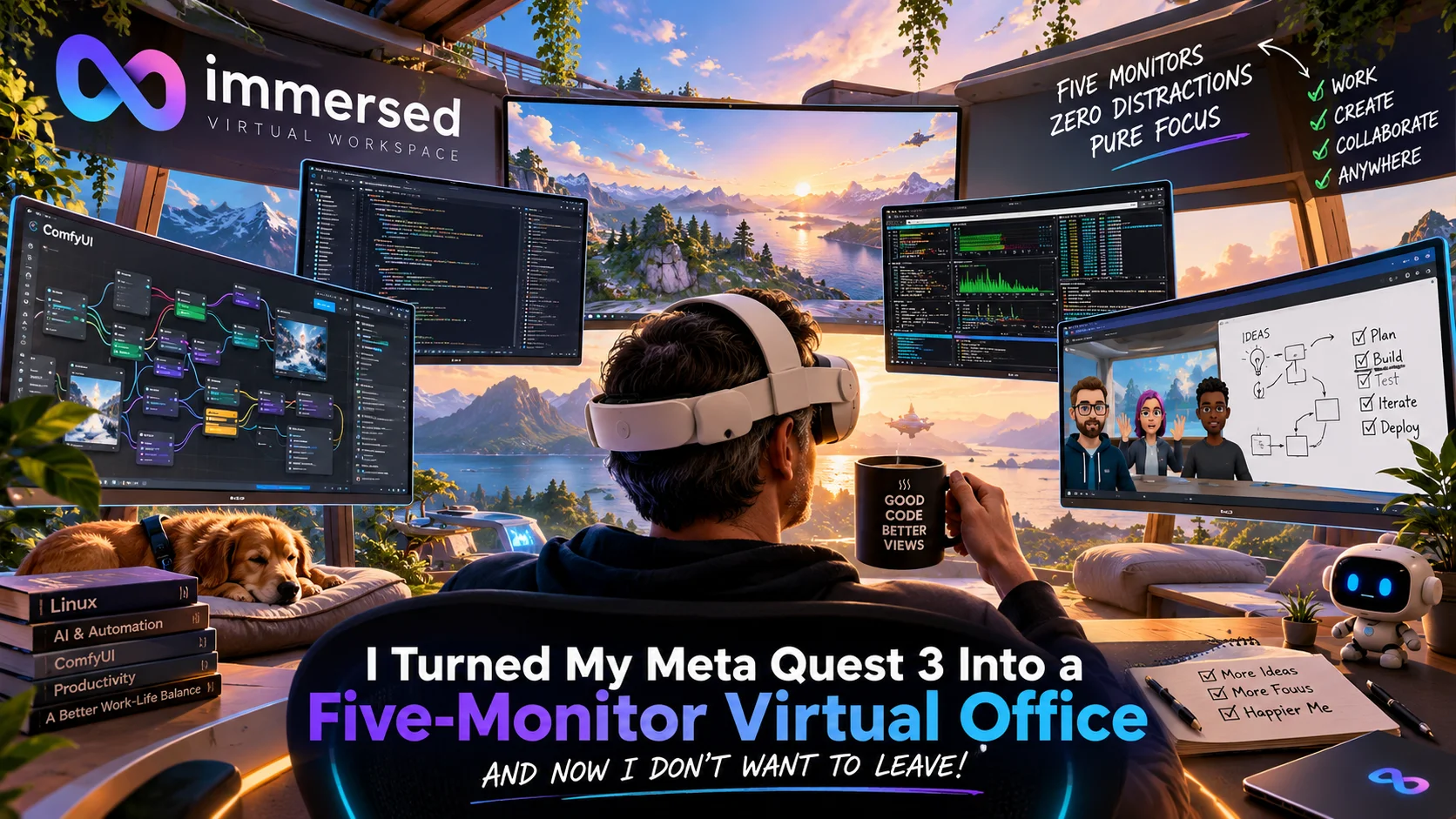
How Immersed transformed my working environment, helped my AuDHD brain find its focus, and gave me an entirely new perspective on remote working. All for less than the price of a decent cup of coffee.
Five Monitors, One VR Headset, and a Very Happy Brain
Every so often, I discover a piece of technology that genuinely changes how I work.
Not something that promises to revolutionise productivity before quietly disappearing into the enormous graveyard of applications I've installed, experimented with, and completely forgotten about.
I'm talking about something that makes me sit back and think, "Where on earth has this been all my life?"
Well, I've just had one of those moments.
The software is called Immersed, and I've been using it with my Meta Quest 3 to turn my Linux workstation into a fully immersive virtual office, complete with five enormous monitors floating around me.
And when I say enormous, I mean monitors that would require a second mortgage, a structural survey, and possibly planning permission if I attempted to recreate the same setup in my actual office.
But here's the interesting part.
The five monitors aren't even the feature that has impressed me the most.
It's what this technology has done for my concentration, creativity, productivity, and perhaps most surprisingly, my ability to separate work from home life.
As someone who works predominantly remotely, spends considerable time developing AI systems, and happens to have an AuDHD brain that occasionally treats every passing distraction as an invitation to start an entirely unrelated project, this has been something of a revelation.
And before anyone asks, no, I'm not being paid to promote Immersed. This isn't a sponsored article.
I simply think it's brilliant enough to deserve some attention.
Let me explain why.
The Problem With Working From Home
I've worked with technology for most of my adult life, across software development, cybersecurity, infrastructure, project management, and more recently, artificial intelligence and digital transformation.
Much of my work involves complex technical problems that demand concentration.
I might be developing or testing AI models, working with coding agents, reviewing thousands of lines of code, managing Linux infrastructure, or building increasingly elaborate workflows in ComfyUI.
For anyone unfamiliar with ComfyUI, imagine a digital spaghetti factory where every strand of spaghetti represents a connection between different AI processes.
Now imagine trying to untangle that spaghetti while simultaneously remembering what each individual strand does.
That's a fairly accurate description of some of my afternoons.
Working remotely provides enormous freedom, but it introduces a problem that doesn't always receive enough attention.
When your home is also your workplace, the boundaries between work and personal life can become surprisingly blurred.
You finish working, walk into another room, and technically you're home.
Except you've been home all day.
Your surroundings haven't really changed, and sometimes neither has your mindset.
There's no journey home, no physical transition between environments, and no clear psychological signal that the working day has ended.
For some people, that's perfectly manageable.
For others, myself included, switching between different mental states isn't always quite so straightforward.
This is where Immersed has introduced an unexpected benefit.
I can now leave my home office without actually leaving my home.
And no, I haven't finally invented teleportation.
Although I'm still working on that.
AuDHD, Distractions, and the Incredible Disappearing Thoughts
There's another reason I've found Immersed useful, and it's probably the most important one.
I'm AuDHD, meaning I'm both autistic and have ADHD.
For me, that combination brings some interesting advantages, particularly when it comes to creativity, pattern recognition, technical problem-solving, and the ability to become completely absorbed in subjects that interest me.
But it can also make concentration a rather unpredictable business.
I can spend hours working on an incredibly complex technical problem, holding multiple ideas, dependencies, and possibilities in my head simultaneously.
Then a bird flies past the window.
A perfectly ordinary bird.
Doing perfectly ordinary bird things.
And suddenly, my brain decides that whatever I was working on is considerably less interesting than investigating something entirely unrelated.
Perhaps I wonder what species the bird was.
That reminds me of something I read about bird migration.
Which leads to satellite tracking.
Which leads to satellite communications.
Which reminds me of a programming project I abandoned six months ago.
Twenty minutes later, I'm researching orbital mechanics.
Meanwhile, the original coding problem is sitting patiently on my monitor, wondering whether I've been abducted.
Welcome to ADHD, where even a pigeon can become a project manager.
Of course, everyone's experience of ADHD and autism is different. I'm not suggesting that every neurodivergent person experiences distractions in precisely this way.
But for me, interruptions can be very expensive.
It's not necessarily the few seconds spent looking away that cause the problem. It's the mental effort involved in reconstructing what I was thinking about before the interruption.
When you're several layers deep into a complex problem, recovering that context can be surprisingly difficult.
And this is where virtual reality becomes much more than a novelty.
A Workspace Designed Around My Brain
With Immersed, I can enter an environment where the usual visual distractions simply aren't there.
No birds passing the window.
No movement outside catching my peripheral vision.
No unexpected activity competing for my attention.
Instead, I have my work, my virtual monitors, and whatever surroundings I've chosen.
It creates an environment in which I find it considerably easier to maintain sustained attention.
Immersed doesn't magically give me the ability to concentrate. It helps remove some of the obstacles that interfere with the concentration I'm already capable of.
That's basically the significant difference.
The autistic side of my brain appreciates the consistency and predictability of a controlled environment.
The ADHD side appreciates having multiple sources of relevant information immediately accessible without constantly switching windows.
And the part of me that simply loves technology is delighted that I've effectively transformed my office into something resembling the bridge of a futuristic spaceship.
Although, disappointingly, shouting "Computer, engage!" still doesn't compile my code.
Yet!
Five Virtual Monitors: A Developer's Dream
Let's talk about those monitors.
Immersed allows you to display multiple computer screens within a virtual environment, positioning them around your field of view.
With Immersed Pro, you can have up to five virtual monitors.
For someone working with development tools, this is incredibly useful.
Take a typical ComfyUI development session.
I might want to keep several things visible simultaneously:
- Monitor 1: My main ComfyUI workflow, with its interconnected nodes, parameters, and processing stages.
- Monitor 2: A terminal displaying execution logs, GPU activity, memory usage, and debugging information.
- Monitor 3: My development environment, source code, or an AI coding agent working through a problem.
- Monitor 4: Documentation, technical references, model specifications, or GitHub repositories.
- Monitor 5: Testing results, generated outputs, configuration files, or another development task.
In a traditional desktop setup, this usually involves constantly switching between windows, applications, and workspaces.
With Immersed, I can arrange everything around me.
I can look towards one screen to inspect a workflow, another to examine the logs, and another to review the code responsible for whatever has just gone horribly wrong.
It's an enormous improvement when you're dealing with several interdependent systems.
And because the screens exist virtually, I'm not limited by the physical size of my desk.
I can arrange them in ways that suit the task I'm performing rather than rearranging my entire office every time I want another monitor.
For coding agents, this is especially useful.
AI-assisted development has changed how I approach software engineering. Instead of spending every minute manually writing code, I'm frequently reviewing proposed changes, evaluating decisions, testing implementations, and directing agents towards particular objectives.
That makes the ability to see multiple sources of information simultaneously more valuable than ever.
There's something wonderfully satisfying about having a coding agent working on one screen, the application running on another, documentation on a third, and the relevant source code available immediately.
It feels less like using a desktop computer and more like operating a technical command centre.
My desk hasn't grown. My workspace has.
And I haven't had to purchase five physical monitors to achieve it.
A Change of Scenery Without Leaving the House
Here's where things become more interesting for remote workers.
Immersed doesn't simply put virtual monitors in front of you.
It allows you to work within different virtual environments.
Instead of looking at the same four walls every day, you can change the surroundings in which your virtual office exists.
Depending on the environments available to you, your workspace might have a relaxing natural backdrop, an atmospheric futuristic setting, or something more conventional.
The Immersed marketplace also offers additional environments, including spaces inspired by cafés, mountain retreats, and even science-fiction settings.
There's actually a virtual starship environment available.
I suspect anyone who knows me can probably guess how long it took me to find that option.
For someone who loves science fiction, the prospect of working on artificial intelligence while sitting inside a virtual spaceship is almost absurdly appealing.
But beyond the novelty, I believe there's a genuine psychological benefit to being able to change my surroundings.
Different environments can help establish different working contexts.
A quiet, relatively uncluttered environment might suit writing, reading, or complex analytical work.
Something more visually stimulating might be enjoyable when brainstorming creative ideas.
And when the working day ends, removing the headset provides a distinct physical transition back into my real surroundings.
It doesn't eliminate the challenges associated with maintaining a healthy work-life balance, but I've found that it provides a useful boundary.
I can enter a dedicated working environment, and more importantly, I can leave it.
It's remarkable how something as simple as changing what you see can influence how you feel about the work you're doing.
Remote Working Doesn't Have to Mean Working Alone
One of the misconceptions about virtual reality is that putting on a headset automatically means isolating yourself from everyone else.
Immersed demonstrates that this doesn't have to be the case.
Its Telepresence functionality allows people to occupy shared virtual workspaces, even when they're physically separated by hundreds or thousands of miles.
Imagine having a colleague working remotely in London, another in Newcastle, and someone else on the other side of the world.
Instead of everyone staring at separate video conferencing windows, you can occupy a shared virtual office.
You can collaborate, communicate, and work together within the same virtual space.
The experience is different from traditional video conferencing because it introduces a sense of shared presence.
You're not simply attending another meeting.
You're occupying a working environment together.
Screen Sharing and Remote Whiteboarding
Immersed also supports collaborative screen sharing and remote whiteboarding.
For development teams, digital transformation projects, and technical problem-solving, this opens up some interesting possibilities.
Imagine reviewing a complex architecture diagram with several colleagues.
Instead of describing a problem over a conventional video call, you can use a shared whiteboard to sketch out relationships, illustrate proposed changes, or explore alternative approaches.
Likewise, sharing a screen allows colleagues to review applications, workflows, code, or other working material.
Immersed advertises multi-screen sharing capabilities, although the precise sharing options and number of participants depend on the subscription tier and collaboration room.
For me, this addresses one of the biggest limitations of remote working.
Remote collaboration can sometimes feel transactional.
You arrange a meeting, exchange information, and disappear again.
A shared virtual workspace has the potential to make collaboration feel more natural and spontaneous.
It doesn't replace face-to-face human interaction, nor should it.
But it's a fascinating alternative to yet another conventional video meeting.
And if someone insists on arranging a meeting that could have been an email, at least I can pretend we're holding it aboard a spaceship.
That's progress!
Immersed also offers public co-working spaces, with additional VIP co-working access for Pro users. This means that working virtually doesn't necessarily mean working completely alone.
For people who miss the background presence of colleagues but don't miss the daily commute, that's an interesting compromise.
Starter Mode vs Immersed Pro: What's the Difference?
Now for the question that's probably on everyone's mind.
How much does all this cost?
Well, this is another area where Immersed pleasantly surprised me.
There are two main options: Starter Mode, which is free, and Immersed Pro, which starts at just $5.99 per month.
Here's how the two compare, based on the official pricing information available in October 2026.
| Feature | Starter Mode | Immersed Pro |
|---|---|---|
| Monthly price | Free forever | From $5.99/month |
| Virtual monitors | Up to 3 | Up to 5 |
| Display resolution | Standard | Premium |
| Maximum advertised resolution | 1440 × 900 | 3840 × 2160 (4K) |
| Virtual environments | 2 rotating weekly | 5 rotating weekly |
| Public co-working | Included | Included |
| VIP co-working | Not included | Included |
| Private-room collaborators | Up to 4, limited-time offer | 15+ collaborators |
| Collaborative screen sharing | Not listed in Starter benefits | Included |
| Offline mode | Listed as a limited-time feature; Wi-Fi needed at startup | Includes Starter features |
Source: Immersed's official pricing and feature comparison. Features, promotional limits, and prices may change.
Starter Mode: Free and Genuinely Useful
Let's start with the free version.
One of the things I appreciate is that Starter Mode isn't simply a demonstration designed to frustrate you into upgrading.
It provides up to three virtual screens, standard display resolutions, access to rotating environments, and public co-working.
For many people, three virtual monitors will be more than enough.
If you're writing documents, working with spreadsheets, developing software, or simply trying to organise your digital workspace, there's plenty here to explore.
You can experience all the main benefits of Immersed without spending anything.
And unlike physical monitors, these virtual displays don't require you to find another three mains sockets behind your desk.
Immersed Pro: Five Screens and More Freedom
For people who work extensively with multiple applications, Immersed Pro is very appealing.
The jump from three monitors to five might not sound enormous, but when you're working with complex workflows, those additional displays can make a considerable difference.
You also gain access to higher virtual display resolutions, including options up to 4K.
Naturally, the clarity you actually perceive will depend on the resolution and optical capabilities of your headset, along with your display settings.
A 4K virtual screen doesn't magically give your headset more physical pixels.
Nevertheless, having greater control over the available virtual resolutions can be useful, especially when working with large amounts of information.
Pro also provides more rotating environments, VIP co-working spaces, expanded collaboration capacity, and additional screen-sharing functionality.
At $5.99 per month, that's hardly more than the price of a decent cup of coffee.
And unlike coffee, the subscription doesn't disappear into my digestive system within twenty minutes.
Although I should point out that coffee remains an essential part of my development environment.
Without it, some of my coding agents would probably have to start making decisions for themselves.
And nobody wants that!
There's Also a Way to Unlock Pro for Free!
Here's something else worth knowing.
According to Immersed's official FAQ, you can actually unlock Pro Mode through regular use without purchasing a subscription.
The system uses an activity streak.
Using Immersed on three days within a week can unlock Pro access, and maintaining activity on at least three of the previous ten days keeps that streak going.
Immersed also offers temporary seven-day Pro power-ups, along with options to freeze an existing streak.
So, if you're planning to use Immersed regularly anyway, you may be able to enjoy its premium functionality without paying a monthly subscription.
Personally, I still think $5.99 is excellent value for what the software provides, especially if you prefer straightforward, predictable access without having to think about maintaining a streak.
But it's nice to have options.
You can read more about these arrangements in the official Immersed FAQ.
Linux, Windows, Mac, and Supported VR Headsets
As a long-time Linux enthusiast, one of the things that immediately attracted me to Immersed was its cross-platform support.
My main workstation runs Ubuntu Linux, and I use it for everything from software development and AI experimentation to server administration and creative projects.
Linux support matters to me because I really don't want to change operating systems simply to accommodate a new application.
Fortunately, Immersed supports Linux, Windows, and macOS.
The official desktop software supports:
- Linux: Supported x64 distributions, with some requirements depending on the desktop environment and display configuration.
- Windows: Windows 10 or 11, 64-bit.
- macOS: macOS 11 or newer.
There is an important consideration for Linux users.
Immersed's FAQ specifies that its built-in virtual display functionality is supported on GNOME Wayland, while other Linux desktop configurations may require additional setup.
So although Linux is supported, the experience may differ depending on your distribution and display server.
Anyone who has spent enough time working with Linux will recognise that as a fairly familiar situation.
Linux gives you tremendous freedom.
Occasionally, it also gives you a three-hour troubleshooting session because a library dependency has decided that today is the day it wants to become interesting.
But that's all part of the fun.
Isn't it?
As for VR headsets, I'm using the Meta Quest 3, but Immersed isn't exclusively a Meta Quest application.
The company's current website also highlights compatibility with Apple Vision Pro and its own Visor headset, designed specifically around spatial productivity.
Its compatibility documentation additionally lists devices including the Quest 2, Quest Pro, HTC Vive Focus 3, and Pico 4.
Naturally, headset compatibility and feature availability can change over time, so it's worth checking the official requirements before purchasing hardware specifically for Immersed.
A Portable Office Without the Physical Office
Another major advantage is portability.
Think about the implications of having several large monitors available without actually owning or transporting several large monitors.
For someone working remotely, this opens up interesting possibilities.
You could use a compatible laptop and headset to create a substantial virtual workspace in places where setting up multiple physical monitors would be completely impractical.
A spare bedroom, a temporary workspace, a hotel room, or somewhere away from your usual desk could become a multi-monitor environment.
Obviously, you still need your computer, headset, power, and a suitable connection between the devices.
And I wouldn't recommend attempting to debug a complicated Python application while sitting on a moving rollercoaster.
But the freedom to create a substantial workspace without being tied to a particular physical desk is extremely appealing.
It also raises interesting questions about the future of office design.
For years, improving productivity often meant buying bigger desks, larger monitors, more expensive office furniture, and increasingly elaborate workstation configurations.
Spatial computing challenges that assumption.
What if the most useful thing about your office is no longer the physical space it occupies?
What if your ideal workspace is something you can configure, personalise, and take with you?
We're still in the relatively early stages of this technology, but the possibilities are fascinating.
Is Immersed Perfect? Of Course Not.
As much as I'm enjoying the experience, it would be misleading to suggest that working in VR has absolutely no disadvantages.
It does.
The first obvious consideration is comfort.
Wearing a VR headset for extended periods is different from sitting in front of conventional monitors.
Weight distribution, the headset strap, temperature, facial pressure, and personal comfort all influence how pleasant the experience will be.
I use a Meta Quest 3, and headset comfort is something I've spent time addressing with accessories.
Battery life is another consideration.
Running a headset while displaying multiple virtual monitors consumes power, so charging arrangements or additional batteries may become important for longer sessions.
Then there's display clarity.
Modern VR headsets have improved enormously, but we're not yet at the point where every headset can perfectly reproduce the sharpness of a high-quality physical monitor.
For tasks involving small text or detailed interfaces, finding comfortable screen sizes, distances, and resolutions makes a difference.
Your network also matters.
After all, you're transmitting desktop information from your computer to a headset. Connection quality, latency, and wireless performance can affect the experience.
And finally, there's something hugely relevant to my own circumstances.
Being able to hyperfocus for hours doesn't necessarily mean I should.
One of the potential disadvantages of creating an environment with fewer distractions is that it can become easier to lose track of time.
As someone who can already become completely absorbed in a technical challenge, I still need to make a conscious effort to take breaks, move around, hydrate, and give my eyes a rest.
Immersed can make focused working more enjoyable, but it doesn't remove the need for sensible working habits.
No productivity application should encourage us to forget that we're human.
Even if we're temporarily pretending to live inside a computer.
More Than a Novelty: The Bigger Picture for Remote Working
My interest in Immersed goes beyond enjoying a clever piece of software.
Working in AI and digital transformation has taught me that technology becomes genuinely valuable when it solves a meaningful problem.
Too many organisations approach digital transformation by asking what new technology they can introduce.
I prefer to begin with a different question.
What problem are we actually trying to solve?
In my case, I had several.
I needed more effective screen space when managing complex technical projects.
I wanted fewer visual distractions.
I wanted greater flexibility in how I organised my working environment.
And I wanted to establish a clearer psychological separation between working and being at home.
Immersed addresses all four.
That's why I find it far more interesting than a conventional VR demonstration.
It's a practical application of spatial computing that has changed how I interact with technology I already use every day.
I haven't replaced Linux, ComfyUI, my coding agents, development tools, or existing workflows.
I've just changed the environment in which I use them.
Good digital transformation doesn't always require replacing everything you already have.
Sometimes it means finding a better way to use it.
Could This Benefit Neurodivergent Workers?
I also believe experiences like mine are worth discussing in the wider context of neurodiversity and workplace accessibility.
For decades, workplaces have largely been designed around fairly standard assumptions about how people concentrate and perform their jobs.
A desk.
A screen.
An office.
A particular level of background noise.
A particular amount of visual activity.
And an expectation that everyone should somehow function equally well within those conditions.
But people don't all process information or environmental stimuli in the same way.
Some thrive in busy offices.
Others prefer quiet surroundings.
Some benefit from visual stimulation, while others find it exhausting.
For certain neurodivergent people, the ability to control their surroundings more precisely could offer meaningful benefits.
Spatial computing introduces the possibility of personalising aspects of the working environment in ways that would be difficult or expensive to reproduce physically.
That doesn't mean VR is a universal solution for ADHD, autism, or any other form of neurodivergence.
It certainly isn't a treatment.
Some people may find headsets uncomfortable, overstimulating, or simply unsuitable for their needs.
But accessibility shouldn't always be about creating one environment that everyone is expected to tolerate.
Sometimes it's about giving individuals greater control over the environment in which they're most comfortable and productive.
For me, Immersed has provided exactly that.
And I suspect I'm not the only person who might benefit.
Trusted by More Than a Million People
It's also worth pointing out that Immersed isn't some obscure experimental application that only three people and some enthusiastic chap on Reddit have discovered.
According to the company's own figures, the software has been used by more than one million people worldwide.
In fact, Immersed's investment website reports approximately 1.6 million unique users.
That's a substantial audience for software operating in a category that many people still associate primarily with gaming.
Of course, a large user base doesn't automatically make something brilliant.
But it does demonstrate that the idea of using extended reality for genuine productivity has attracted considerable interest.
And having experienced it myself, I can understand why.
Source: Immersed Investor Information.
My Verdict: A Glimpse of the Future That I Can Actually Use Today
I've spent years exploring emerging technologies.
From early software development and Linux systems administration to artificial intelligence, large language models, and increasingly sophisticated automated workflows, I've always been fascinated by the possibilities technology creates.
But I'm also very difficult to impress.
I'm interested in practical improvements, not just demonstrations designed to look impressive for thirty seconds.
Immersed has impressed me because it delivers something genuinely useful.
It gives me more room to work.
It helps me concentrate.
It allows me to create an environment suited to the way my brain operates.
It provides new possibilities for remote collaboration.
And it helps me establish a separation between home and work that can otherwise become difficult to maintain.
All without requiring me to purchase a collection of enormous monitors and find somewhere to put them.
For anyone working remotely, developing software, building workflows, working extensively with DevTools, or simply struggling with the limitations of a conventional desktop setup, I think Immersed is absolutely worth investigating.
And for neurodivergent people who, like me, sometimes find that the outside world has an irritating habit of interrupting their train of thought, it might prove exceptionally interesting.
The fact that you can try Starter Mode completely free makes the decision even easier.
If three virtual monitors aren't enough, Pro starts at just $5.99 per month.
That's a tiny investment for something that could meaningfully improve your working experience.
Will it transform everyone's productivity? No.
Has it transformed mine? Absolutely!
And that's ultimately why I've written this article.
Not because Immersed has paid me.
Not because I'm promoting an affiliate link.
Not because I'm trying to persuade everyone to abandon their physical monitors.
But because I've found something that genuinely improves the way I work, and I think good technology deserves recognition when it earns it.
Now, if you'll excuse me, I have five virtual monitors waiting for me, a ComfyUI workflow that needs attention, and several coding agents that I should probably check haven't developed a mind of their own.
All from the comfort of my home.
Or my virtual office.
Or perhaps my spaceship.
The wonderful thing is that these days, I get to choose.
And best of all?
Not a single pigeon in sight! 😂
Interested in Trying Immersed?
Visit the official website: immersed.com
You can explore its free Starter Mode, compare the available features, and decide whether Immersed Pro makes sense for you.
Disclaimer: This article reflects my personal experience with Immersed. It is not sponsored, and I have not been paid to write or publish this review. All opinions are my own. Product specifications, features, compatibility, and subscription pricing are based on information published by Immersed in October 2026 and may change.